Evaluating AI Takeoff Software as a Division 8 Subcontractor
Division 8 subs need different evaluation criteria than general contractors do.
The construction estimating software market has gotten large enough, and loud enough, that most buyers now assume one evaluation checklist works across every trade Mordor Intelligence, 2026 ConstructConnect / On-Screen Takeoff. That assumption is wrong for a Division 8 subcontractor, and the gap between the standard checklist and what a door, frame, and hardware estimator actually needs is the subject of this piece. The segment itself is expanding fast, worth $1.06 billion in 2026 and projected to reach $1.51 billion by 2035, and a market growing that quickly produces vendor noise that makes every tool sound roughly interchangeable Mordor Intelligence, 2026 ConstructConnect / On-Screen Takeoff. Most buyer guides written for this space are built around general contractor priorities: how fast can it extract a quantity, does it run in the cloud or on a desktop, what does a seat cost.
Those questions aren't wrong, they're just answering the wrong problem for a D8 sub. What follows works through those criteria one at a time, referencing tools only where the record actually describes what they do, and it stops well short of trying to be a general buyer's guide to construction software. Division 8 subcontractors who use those frameworks end up evaluating the wrong things, since a tool that scores well on generic metrics can still miss hardware sets entirely, misread fire ratings, or produce a door count with no frame or hardware reconciliation attached.
What makes Division 8 takeoffs harder than most trades realize
Doors sit at an odd intersection in a commercial building. They're where architecture, fire protection, security, and ADA compliance all appear on the same opening at once, and the door/frame/hardware schedule is the one document that's supposed to hold all of that together, design intent, subcontractor scope, inspection criteria. That's a lot of weight for a single schedule to carry, and it's why the standard estimating workflow (count the openings, group by type, build a package of slab, frame, hardware, sealant, trim, and install labor for each one) sounds simple in outline but rarely is in practice.
Fire ratings alone introduce real complexity. There are five tiers, 20, 45, 60, 90, and 180 minutes, and each one carries its own requirements on door construction, frame prep, hinge type, closing device, latching hardware, and seal package ConstructConnect / On-Screen Takeoff. Every component in the assembly has to comply, not just the door slab. A rated opening is really a compliance chain with several links, and any one of which can break the whole assembly if it's specified wrong.
Then there's hardware entry itself. The estimator has to pull hardware set information out of the architectural specification, usually a PDF that resists any kind of clean import, and reconcile it by hand against the door schedule and whatever notes the estimating team has accumulated. That reconciliation step routinely takes as long as the takeoff itself, and it hasn't meaningfully changed in years. Layer onto that a genuinely unsettled question, whether hardware quantities are counted per opening or per leaf, a convention that the trade's certifying bodies, its code references, and its own software don't agree on consistently. Get that backwards on a large project and every downstream number is off by a multiple, and because the figures stay internally consistent, nothing about the output looks broken. Add addenda, since a takeoff is rarely a single-pass event and multiple revision rounds can land before bid day, each one requiring the whole reconciliation to run again, and the difficulty compounds fast.
The document reconciliation problem that generic tools leave unsolved
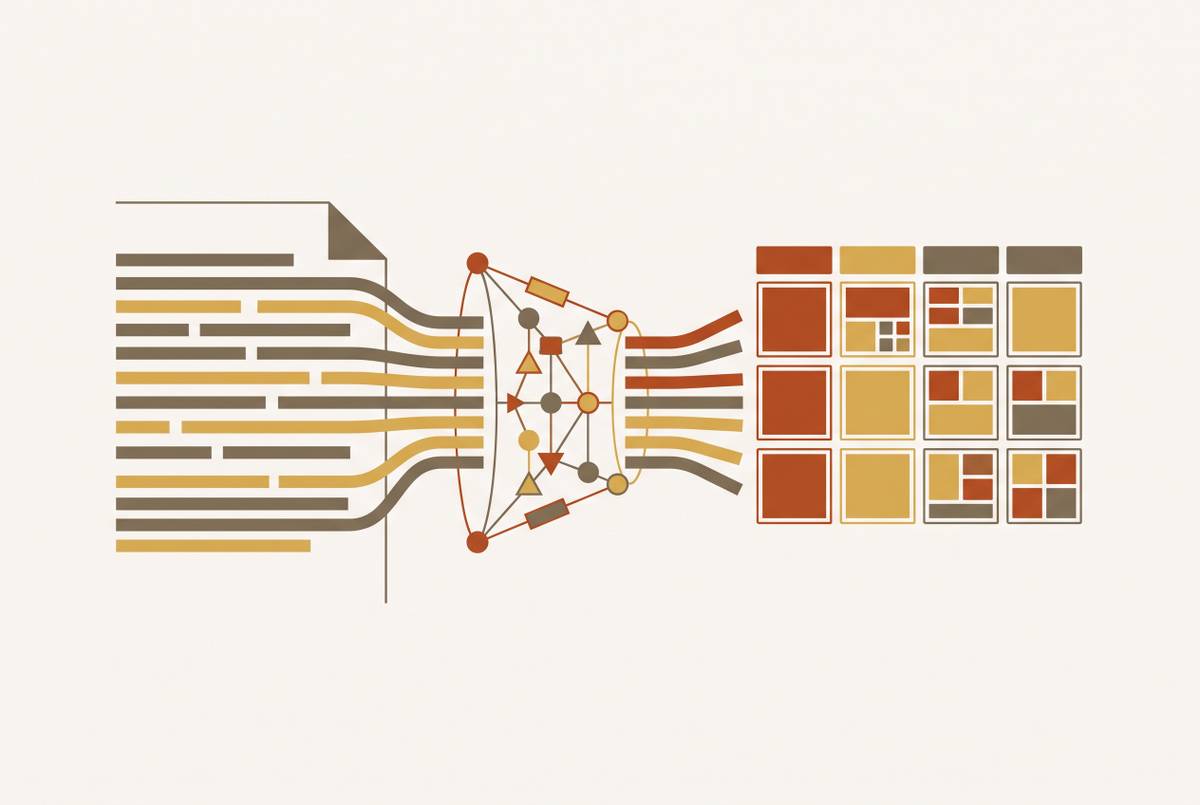
Most AI takeoff tools were designed around a single-document workflow. Upload a PDF, extract quantities, export a count, done. That works fine when the plan sheet is the only source of truth. It doesn't work for Division 8, where a proper takeoff means reading at least four document types at the same time, the door schedule, the door elevations, the partition or floor plans, and the Section 087100 hardware specification. Processing those one at a time isn't just slower, it's structurally how openings and hardware items get dropped.
Reconciliation, in practice, means checking that every opening tagged on the plan actually appears in the door schedule, that the hardware set assigned in that schedule matches what the specification calls for, that the fire ratings on the schedule agree with the assembly requirements in the spec, and that the frame type is actually compatible with the wall type shown on the partition plan. A tool that counts door symbols on a floor plan and stops there has finished maybe a fraction of the actual takeoff, because the reconciliation step is where most of the error risk lives.
Addenda make the gap worse. When a revision comes in, reconciliation has to run again across all four document types, not just the one sheet that got revised, and general-purpose tools built for re-counting a single updated sheet simply weren't designed for that. This is why "accuracy on clean PDFs," a metric that matters enormously for general contractor tools, doesn't tell a D8 estimator much of anything: a tool can hit accuracy in the high nineties on symbol detection and still produce a takeoff that's materially wrong, because it never compared the schedule against the spec in the first place Quotr.ai / Quotr Blog.
Hardware set logic separating a capable tool from a rebranded counter
Hardware sets are the structured groupings that spell out every item required for a given opening, quantity, category, product number, fasteners, finish, organized in a defined sequence and format for each opening. The industry's own hardware institute establishes that sequence and format for the schedule, and institutional owners and many state agencies require submittals to comply with it, organized into sets that list the complete designation of every item for every door. That structure is what makes a hardware schedule usable downstream, by the estimator building a bid, by the buyer purchasing product, by the inspector checking the installed opening against what was submitted. It's what makes a hardware schedule usable downstream, by the estimator building a bid, by the buyer purchasing product, by the inspector checking the installed opening against what was submitted.
A tool that extracts hardware as a flat list, product names and quantities with no set structure, no per-opening assignment, no sequence, hands back something that has to be rebuilt by hand before anyone can use it for a bid or a submittal. That rebuild work erases most of the time savings the tool was supposed to provide.
The handing and quantity convention problem belongs squarely in this category too. A tool that doesn't understand that per-opening and per-leaf conventions produce different quantities generates systematically wrong quantities that still look plausible on the page, no error flag, no audit trail, just a silent multiplier running through every number downstream. Fire rating compliance is another place hardware set logic gets tested directly: does the tool notice when a hardware item assigned to an opening doesn't actually satisfy that opening's fire rating, or does the conflict pass through unflagged? The honest way to find out in a demo is to ask the vendor to walk through how the system reads a hardware set out of the spec and assigns it to openings in the schedule, and to ask for the structured output itself, not a summary count.
Spec-reading capability and the institutional owner-standard problem
Institutional work adds another layer. Universities, hospitals, and government facilities routinely operate under owner standards that override or supplement whatever the architect wrote into the project spec, and a tool that only reads the project spec will miss the document that actually governs the job.
The examples on record are specific. Cornell University's Section 087100 requires compliance with the ANSI/DHI A115 series for hollow metal doors and frames and the A115-W series for wood doors, and it requires installers to be manufacturer-trained and certified on fire, life safety, and security products, hanging devices, locking devices, closing devices, seals. Michigan's state facilities agency requires DHI sequence and format compliance in its door hardware specification, with a preface sheet that lines up specified manufacturers against scheduled manufacturers for submittal review ConstructConnect / On-Screen Takeoff. A 2025 bid for the NC State CVM Equine Hospital Expansion required a base bid per project specifications and a separate Preferred Brand Alternate Bid tied to the NCSU Campus Standard Electrified Door Hardware Components, requiring two distinct quotes from the same set of drawings ConstructConnect / On-Screen Takeoff. New York State OGS Section 087100 (revised 08/25/2025) references a dense regulatory stack including NFPA 80, NFPA 101, ANSI/BHMA standards (A156.1 through A156.26 series), and DHI, with the AHC credential defined as the primary authority for complex openings ConstructConnect / On-Screen Takeoff.
What that means for the estimator is a different kind of task. On an institutional job, the work isn't extracting what the project spec says, it's authoring hardware sets against the owner's standard, and those are two distinct cognitive and workflow exercises, not variations on the same one. The brand names that show up across these specs repeatedly, Sargent's 8200 Series, Schlage's L9000 Series, Corbin Russwin's ML2000 Series, along with Allegion and Assa Abloy, mean a tool's spec-reading capability should handle named-brand substitution logic as well as generic product categories ConstructConnect / On-Screen Takeoff. The evaluation question that follows is straightforward: can the tool take in an owner standard as its own document, separate from the project spec, and flag where the two conflict or where one has a gap the other doesn't? A tool that can't do that forces the estimator to do the hardest reconciliation work by hand, on precisely the institutional jobs where margins tend to be best.
Where the general-purpose tools in the 2026 market sit relative to D8 needs
What follows describes what the available sources say each tool does. It isn't a ranking, and it doesn't reach past what those sources establish ConstructConnect / On-Screen Takeoff.
The platforms most commonly discussed in 2026 market coverage were built for general contractors and multi-trade specialty subs, and their AI features are centered on quantity extraction from floor plans, symbol detection, and linear or area measurement ConstructConnect / On-Screen Takeoff. One established takeoff platform, On-Screen Takeoff (ConstructConnect), runs a Takeoff Boost suite covering Auto Takeoff, Auto Count, and Auto Link, with Auto Scale and AI-Powered Auto Name planned for August 2026, and is positioned for commercial GCs and specialty subcontractors; one user reported completing an 85,000-square-foot job in about 30 minutes using it, but no D8-specific document reconciliation capability is described in the sources ConstructConnect / On-Screen Takeoff. A Windows-based competitor offers a drag-and-drop assembly library and Excel integration at roughly $2,000 a year for the first seat, aimed at residential and commercial contractors across multiple trades, again with no hardware set or spec-reading feature described. A cloud-based platform known for transparent public pricing offers a FloorPlan AI add-on that detects doors, windows, rooms, and walls, plus STACK Assist Plan Chat for GPT-powered plan questions, priced at $899/user; door detection is a feature, but sources describe no hardware set logic or 087100 spec reading.
Further along the spectrum, a semantic-machine-learning tool that auto-color-codes floor plans and classifies rooms claims accuracy near 98% at around $299 per user per month, strong on pure quantity extraction speed, with API connections out to other tools for cost estimates, but again nothing D8-specific Togal.AI / TaskTag. A fully automated multi-trade takeoff service covering HVAC, electrical, plumbing, roofing, and masonry promises roughly 1% accuracy with human quality-assurance review and 24 to 72 hour turnaround on a credit-based pricing model, a delivery approach clearly built around general contractor scope rather than a single trade's document depth Beam AI / TaskTag. Kreo, a BIM/Revit-oriented tool built for architects and quantity surveyors, runs Auto Measure and auto-BOQ generation with One-Click Area at roughly 95% accuracy for $35–$175 per user per month, but its PDF/2D-first orientation with BIM (IFC) support is not aligned with the PDF-heavy D8 workflows AI Building Tools Quotr.ai / Quotr Blog Kreo / TaskTag.
The pattern across every one of these is consistent. The trade-specific vs. The Aginera evaluation guide identifies the general-purpose distinction as the most consequential thing buyers overlook, and for Division 8 it matters more than for most trades because so much of the complexity is in the specification layer rather than the plan layer. The pattern across these tools is that door detection as a count metric is common, while hardware set logic, fire-rating reconciliation, and 087100 spec reading are absent from descriptions in sources (these tools were not built for D8).
The D8-native tool category and the benchmark a purpose-built approach establishes
A newer category of tool trains its models specifically on Division 8 documents, meaning door tags, door and hardware schedules, fire ratings, and the particular vocabulary and conventions of the trade, rather than applying a generalized drawing-recognition model and hoping it holds up. The output from that kind of tool is organized into structured door and hardware templates built to plug into existing ERP systems without forcing an estimating team to change how it already works.
One tool in this category, Bild AI, has a reported outcome: 40–60% more bids per estimator with the same accuracy and attention to detail, attributed to a Division 8 distributor with $100M+ annual revenue, and other clients have reportedly bid 50% more work with smaller estimating teams AI Building Tools Varseno / TaskTag Quotr.ai / Quotr Blog. The company behind it is backed by Khosla Ventures (YC W25).
The question this category of tool actually raises for a buyer is which of these it really is. Is the model trained on D8 documents specifically, or is it a general model applied to D8 with post-processing rules bolted on afterward? The answer shapes how the tool behaves the moment something unusual shows up, a non-standard hardware set format, an owner standard document, two conflicting spec revisions from different addenda ConstructConnect / On-Screen Takeoff. A tool built from the ground up on D8 documents should handle those cases as ordinary input. A general model with rules layered on top tends to handle them as exceptions, which is precisely where accuracy quietly falls apart.
The practical evaluation checklist a Division 8 estimator should run
Does the tool read the door schedule, the floor plans, the elevations, and the hardware specification at the same time, or does it move through them one document at a time? Ask to see the actual reconciliation output, with the reasoning behind it, rather than a door count with a percentage attached to it.
Does the output preserve hardware set assignments per opening in the proper sequence, or does it hand back a flat list of items with no structure? A flat list means someone still has to rebuild the set by hand before the output is worth anything.
Does the tool flag hardware items that conflict with the fire rating assigned to their opening? Passive conflict detection is the bare minimum here, and active flagging, something that stops the estimator and makes them look at it, is meaningfully better.
Can the tool distinguish per-opening from per-leaf quantity conventions, and does it show its work so the estimator can check that assumption rather than trust it blindly? A tool that makes that call silently is one where errors compound without anyone noticing until the bid's already out the door.
And for anyone bidding institutional work: can the tool ingest an owner standard document separately and compare it against the project spec? That single capability makes the tool useful on the jobs where Division 8 margin is usually thickest, or limits it to simpler private work where one spec is the only document that matters.