Construction Estimating Software Pilot Design for Specialty Trades
A specialized pilot must test door-by-door reconciliation across schedules, plans, and specs.
A Division 8 takeoff and a general contractor's takeoff are built on different logic entirely. They're built on different logic entirely, and a software pilot that doesn't account for that difference will pass tools that fail on the job.
Why Division 8 takeoffs are structurally different from general construction estimating
Division 8 is the CSI MasterFormat division covering every building opening (doors, frames, finish hardware, glazing), with Section 08 71 00 as the contractual basis for the hardware package. That last point matters more than it sounds like it should. Most estimating work is measured in area or volume: square feet of drywall, cubic yards of concrete, linear feet of conduit. (Door Hardware) is that section's formal name. The unit of work is the opening, each a discrete thing to count, making this a count-based discipline rather than a linear- or square-footage-based onec2.
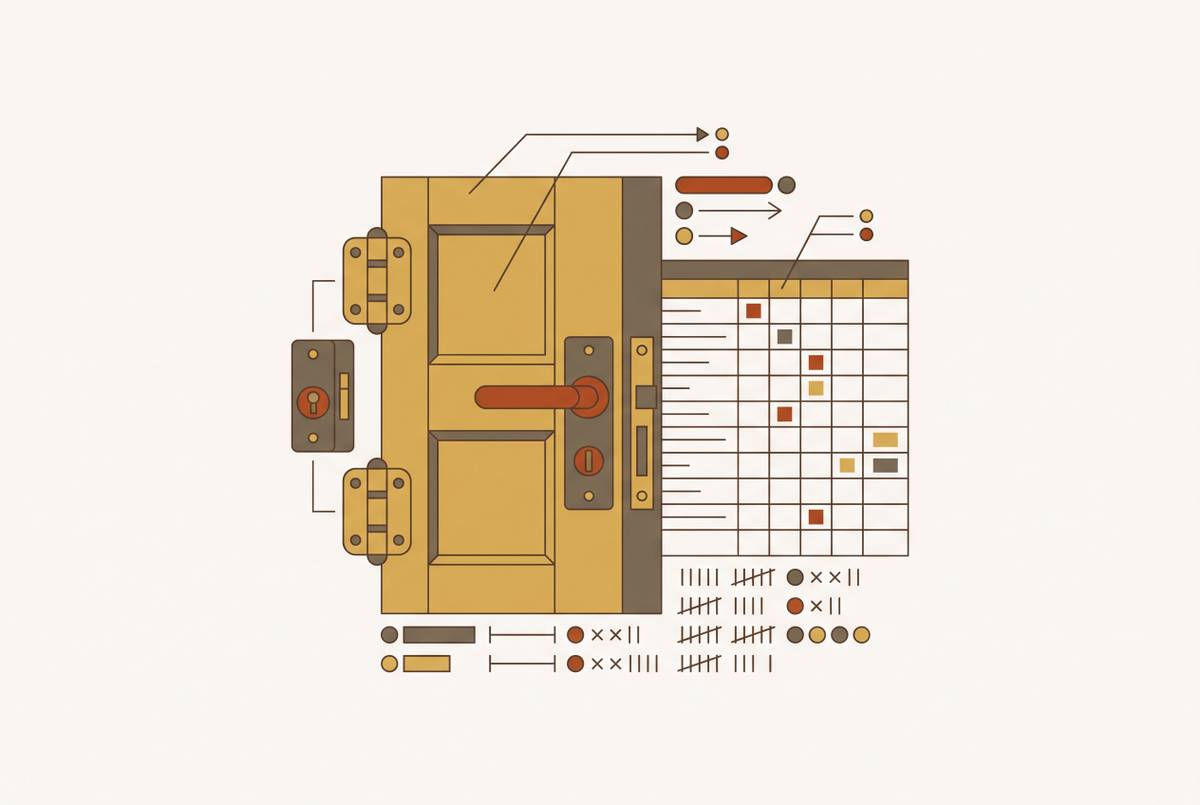
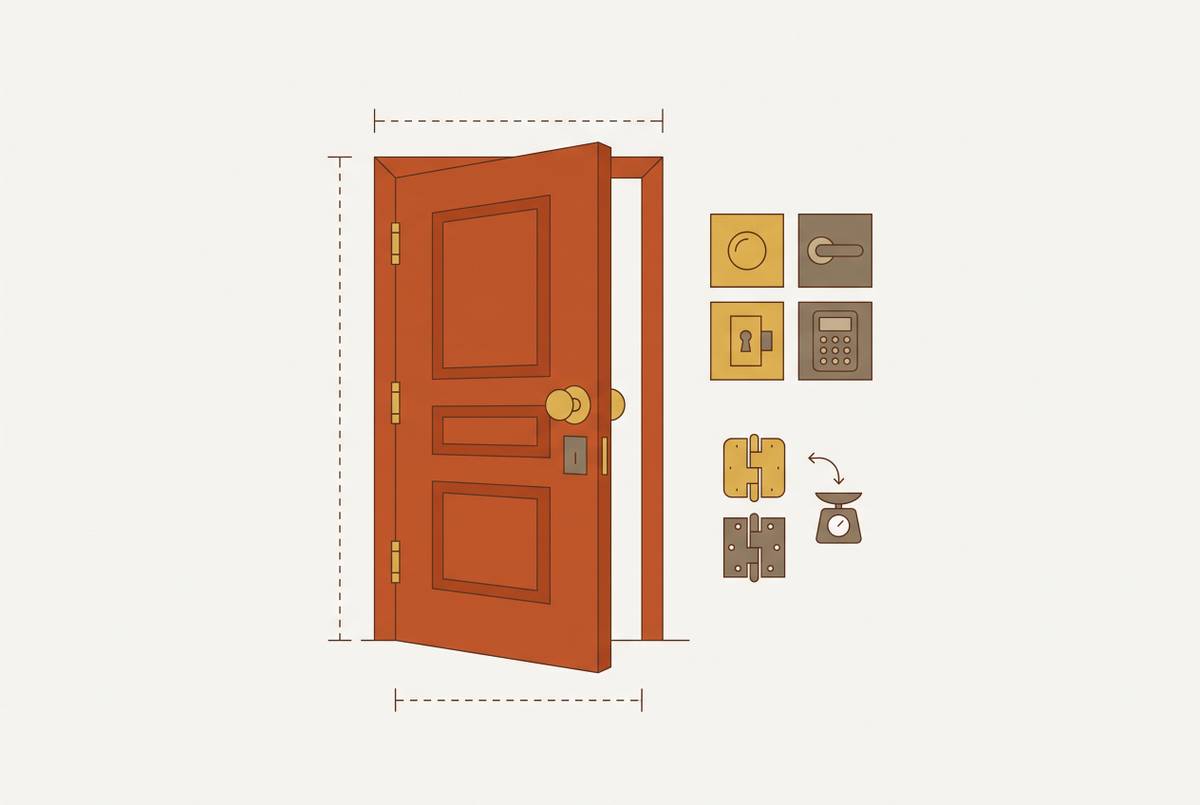
Each opening also carries what amounts to a configuration stack. There's a door type and thickness, a frame type, a hand and swing direction, and a hardware set that may include hinges, locksets, closers, stops, and electrified components. None of that lives in one place. It must reconcile across three documents at once (the door schedule, the floor plan, and the specification), which all need to agree before the opening is buildable. The specification carries legal weight too: since Section 08 71 00 is the contractual basis for the hardware package, any deviation needs formal submittal approval. Missing a line in that spec is a contract compliance problem, not just a pricing mistake.
Institutional work adds a fourth layer on top of all this. Universities, school districts, hospital systems, and state agencies publish their own hardware standards, which can modify or override the architect's spec. The University of Georgia's 2025 supplemental standard is a clean example, requiring 1¾-inch commercial and institutional door thickness regardless of what the architect's drawings call for. An estimator has to know to go looking for that document, because the base spec does not include it automatically.
General takeoff software was built to measure area and volume, not to handle any of this. It's built to measure area and volume, and counting doors, reading hand and swing, reconciling hardware sets against a spec sits outside that core logic entirely. This is why a general-purpose pilot fails to surface the errors that matter in Division 8. Division 8 takeoffs treat the door opening as the fundamental unit of work, each with its own configuration, confirming the discipline is count-based.
Where errors originate in the manual Division 8 process
The manual process fails for a structural reason. Estimators read the door schedule, then the plan, then the spec, as three separate passes, and cross-document conflicts are visible only if all three are held in working memory at once. That's an enormous ask even for a careful, experienced estimator, one the manual workflow doesn't support by design.
The failure modes that come out of this are predictable once you see the pattern. A door shows up on the floor plan but never made it into the schedule, or the reverse, and nobody catches it until someone's standing in the field trying to install hardware for an opening that was never priced. Hardware gets assigned to the wrong opening type, a storeroom function set landing on what's actually a classroom door. Spec requirements around fire rating, ADA compliance, or electrified hardware exist in writing but never make it into the assembled hardware set. And on institutional jobs, an owner standard that overrides the project spec sits in a document the estimator never had reason to open.
None of this is a competence problem. It's a process problem: document-by-document review structurally cannot catch conflicts existing only in the overlap between documents. The cost of missing one isn't symmetrical with the cost of catching it. A missed door or misread hardware set that reaches the field triggers change orders, re-procurement, and schedule disruption, costs dwarfing whatever time was saved rushing the takeoff.
What a general-purpose software pilot misses for Division 8
Standard pilots test a consistent list: import speed, PDF measurement tools, cost database depth, project management integrations, and team collaboration features. That's legitimate ground for a general contractor but mostly beside the point for a Division 8 sub.
Part of the problem is the test project itself. General pilots tend to run on multi-trade drawing sets where door count is a small subset of a larger takeoff, a setting where the hardware spec makes up only part of the scope. Running a pilot that way leaves a whole set of questions unasked. Does the tool treat a door schedule as structured data (opening number, door type, frame type, hardware set, size, fire rating), or does it merely see a table of text on a PDF? Does it reconcile schedule entries against where doors actually sit on the plan, and flag it when they don't match? Does it read Section 08 71 00 and tie hardware requirements back to individual openings? Can it tell the difference between the base project spec and an owner standard that overrides it? Does it get hand and swing right consistently across left-hand and right-hand openings?
None of that gets tested in a standard pilot, which creates a specific and dangerous kind of blind spot. A general-purpose tool can score well on a general pilot yet still hand back a Division 8 takeoff that misses doors, misassigns hardware sets, and ignores spec requirements, simply because the pilot never tested for any of it. Marketing claims about AI takeoff tools (fast turnaround, high accuracy) tend to be validated only against standard floor plans with conventional layouts. That doesn't transfer automatically to a complex specialty document set, so a pilot must test the specialty case directly rather than take the claim on faith.
Choosing the right test project for a Division 8 pilot
The most important decision in a Division 8 pilot happens before the software opens: which project tests it. It needs to be a completed job with known outcomes, already bid and built, so there's a field record to check the tool's output against. Without that record, there's no way to tell if the tool catches real discrepancies or just produces plausible-looking numbers.
The document set needs to hit a few minimums. A full door schedule with opening numbers, types, sizes, and hardware set assignments. Floor plans that show door locations and swings at a scale the tool can actually read. A Section 08 71 00 hardware spec needs at least three distinct hardware groups to stress the reconciliation logic. And ideally an elevation or partition schedule that adds a bit of context beyond what the door schedule alone provides.
Size matters here too. Anything under roughly 20 openings is too small to stress-test reconciliation logic or expose missed items that appear on a real job. A mid-sized commercial project with mixed opening types (hollow metal, wood, aluminum) is where the cross-document complexity that produces errors first becomes visible. Institutional projects with an owner standard layered on top are the hardest test available, and also the most revealing one. Running the pilot on a clean, architect-only project leaves the owner-standard gap undetected, since there was nothing to catch.
Run the pilot blind. Don't pre-correct the test documents or strip out known conflicts before feeding them in. The point is to see whether the tool catches the same discrepancies the estimator already knows are there. Firms that treat this software as a one-time purchase (install it and hope) tend to watch its value evaporate within months. The model that holds up is defined: one real project, a verified cost database, and a fixed onboarding period after the pilot.
The specific capabilities to test during the pilot, opening by opening
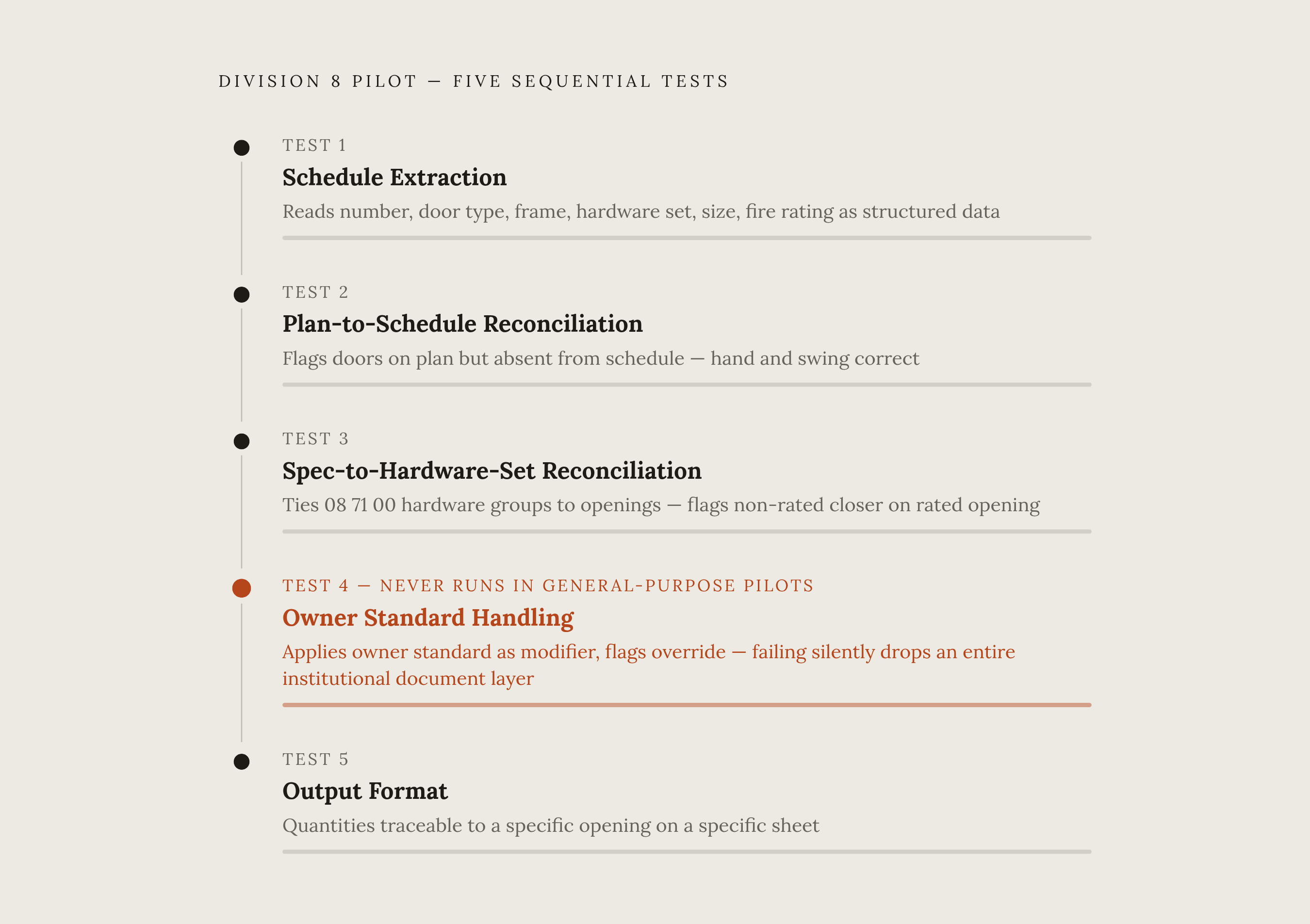
Five tests, run in sequence, cover the ground that matters.
Test 1 checks schedule extraction accuracy. Does the tool read the door schedule as structured data (opening number, door type, frame type, hardware set, size, fire rating) instead of as unstructured text? Compare the extracted opening count against the known count from the completed job. A tool needing schedule data manually re-entered hasn't automated the hardest part of the job.
Test 2 checks plan-to-schedule reconciliation. Does the tool catch doors that show up on the floor plan but never made it into the schedule, or the reverse? Deliberately leave known discrepancies from the test job in place and confirm the tool surfaces them on its own. Check hand and swing specifically: a left/right mixup reaching the field becomes a change order, and it's cheap to test at the pilot stage.
Test 3 checks spec-to-hardware-set reconciliation. Does the tool connect the hardware groups in Section 08 71 00 to the specific openings they're supposed to govern? Confirm a fire-rated opening correctly inherits its spec-mandated fire-rated hardware, and confirm the tool flags conflicts, such as a non-rated closer on a rated opening.
Test 4 checks owner standard handling, for institutional jobs specifically. Load the owner standard as a separate document and check whether the tool applies it as a modifier on the project spec, as intended. A tool that ignores the owner standard, or silently merges it without flagging the override, has failed this test regardless of other results.
Test 5 checks output format. Does output organize quantities by opening, hardware set, and spec section, the structure a Division 8 sub needs to price a job and prepare a submittal? Can any given quantity be traced back to a specific opening on a specific sheet? That traceability makes a takeoff defensible when a reviewer or project manager has questions.
How to measure pilot results against a meaningful benchmark
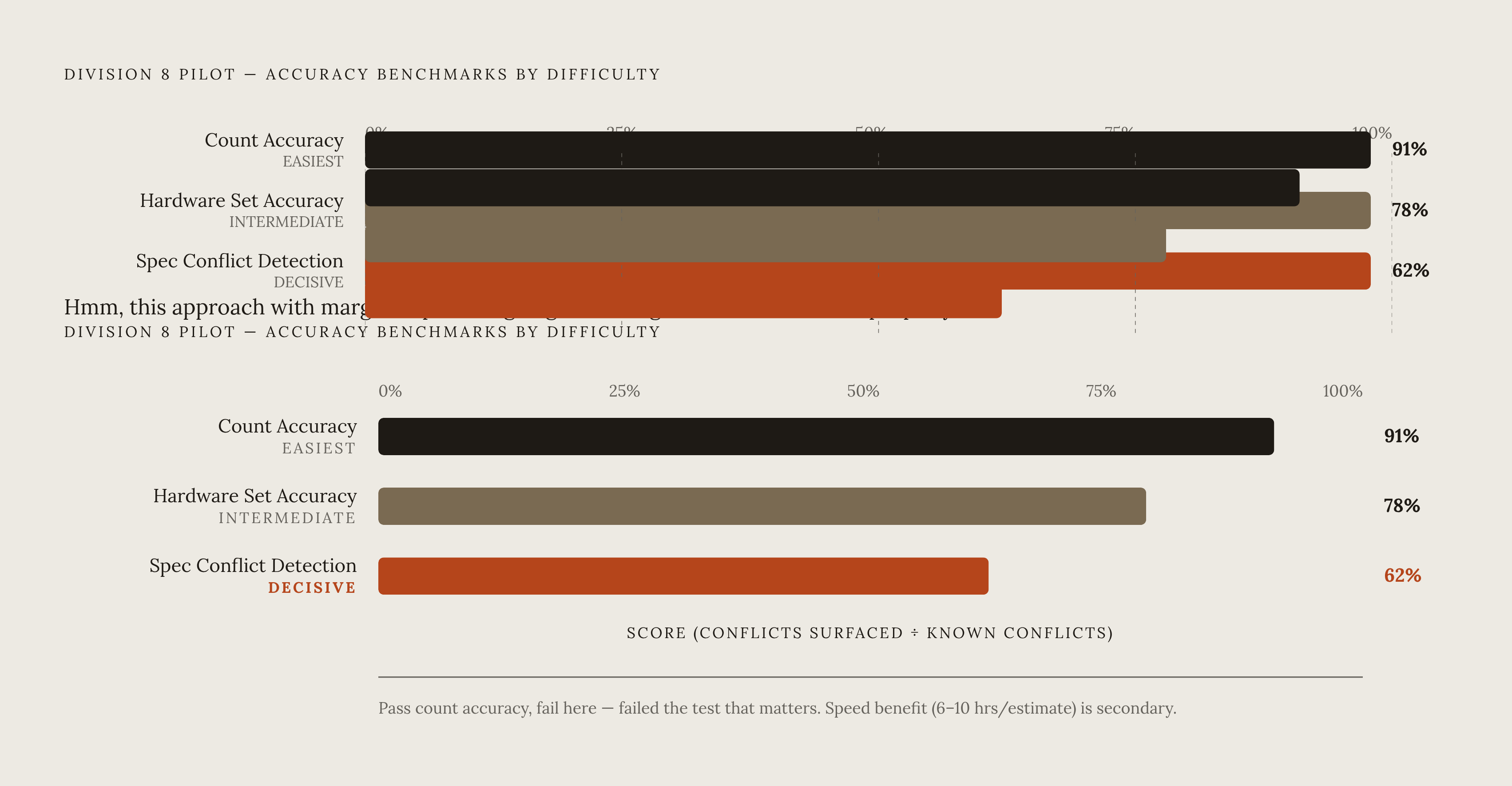
The benchmark that matters most is reconciliation completeness. It's reconciliation completeness: did the tool find every discrepancy that the completed job's field record shows was actually there? A tool that runs fast but misses half the conflicts hasn't saved anything, it has just moved the cost downstream to the field.
Speed still has a place, as a secondary measure. Compare time to complete the test project's takeoff against the estimator's own known baseline for that job. Vendor-published numbers (firms using AI estimating tools broadly report saving roughly 6 to 10 hours per estimate) shouldn't replace a baseline from the estimator's own prior work. Speed carries strategic weight beyond hours saved: a 2025 CMAA survey found faster bids win at a higher rate, which explains why turnaround affects win rate, not a reason to let it replace accuracy.
A useful accuracy scoring framework runs on a few simple ratios. Count accuracy: openings the tool found divided by openings in the known record. Hardware set accuracy: correct sets assigned divided by total openings. Spec conflict detection rate: conflicts the tool actually surfaced divided by known conflicts sitting in the test project. A tool scoring well on count accuracy but poorly on conflict detection has passed the easy test and failed the one that matters.
There's a cost side to this too. Software migration for specialty subs generally takes 2 to 4 weeks to settle in, and the hard part isn't learning the interface but building and verifying the custom cost assemblies underneath. That onboarding window belongs in the payback math alongside the vendor's per-estimate time savings figure. A passing result finds every door the estimator knows is there, flags every confirmed spec conflict, gets hand and swing right, and returns output organized for pricing without a manual verification pass.
The onboarding period that follows a successful pilot
A pilot that passes is a green light, not a finished deployment. There's still a gap between working on the test project and being ready for every live bid, closed through structured onboarding rather than skipping to production use.
Cost assemblies come first. The tool's output is only as good as its underlying pricing data, so custom assemblies for hollow metal doors, wood doors, aluminum frames, and hardware sets need building and checking against recent purchase history before bidding a live job. A 5 to 10 percent contingency buffer is a reasonable hedge during the first weeks of live use, until the tool's output is validated against a second real project.
The 2–4 week onboarding window should be structured, not open-ended. By week four's end, the decision is whether the tool's output is consistent enough to fully replace the manual process or needs another calibration round.
The same 2 to 4 week ramp applies to door hardware distributors moving off spreadsheets, where pricing accuracy depends entirely on catalog data being loaded correctly from the start, making the parallel-run step just as important. But the real payoff, for an estimator or a distributor alike, appears in volume. Winning more bids isn't about working longer hours, it's about quoting more jobs in the same stretch of time. A tool cutting per-bid time enough to add two or three more bids a month changes the revenue picture without adding headcount. After onboarding ends, the number to watch is not hours saved per estimate, but how many more estimates get done. During Week 1–2 of onboarding, teams configure cost assemblies and run a second blind test on a different completed job. During Week 3–4 of onboarding, a live bid is run in parallel with the manual process, with outputs compared before submitting.